
RugWard Pay
Invoices, payment links and test payments
Create invoices in the dashboard, share reusable payment links and buttons, try the whole checkout for free on a testnet, and handle unmatched payments.
On this page
Create an invoice#
In the dashboard, fill in New invoice and click Create invoice. You get a checkout link to send to your buyer (https://rugward.com/pay/i/<id>).
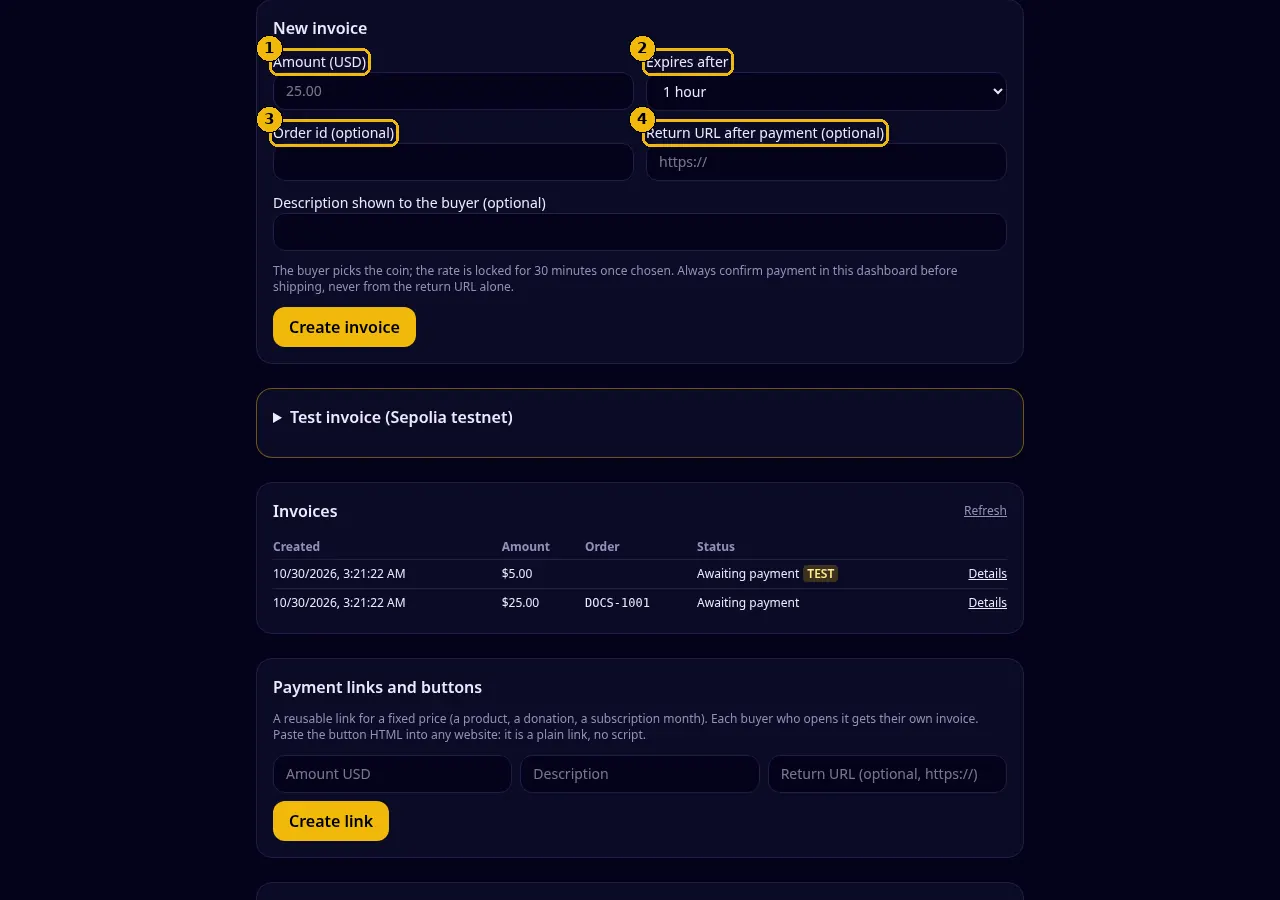
| Field | Rules | Notes |
|---|---|---|
| ① Amount (USD) | $1 to $50,000, at most 2 decimals (25 or 25.50) | The buyer pays the equivalent in the coin they pick. |
| ② Expires after | 30 minutes, 1 hour (default), 3 hours, 1 day or 7 days in the dashboard; 15 minutes to 7 days with the API | After expiry the checkout says "Do not send anything" and no new rate can be locked. |
| ③ Order id (optional) | up to 64 characters: letters, digits and . _ - : # / | Your own reference; returned in the API and in webhooks. |
| ④ Return URL (optional) | full https:// address | Revealed to the buyer only after the invoice is paid, as a "Return to <your site>" button. |
| Description (optional) | up to 200 characters | Shown to the buyer, for example "1 × T-shirt, size M". |
The buyer chooses the coin on the checkout page. The rate is locked for 30 minutes from that moment (not from invoice creation), so a long invoice lifetime does not expose you to price moves.
Ship only after the dashboard (or the invoice.paid webhook) says Paid. A buyer arriving at your return URL is not proof of payment: anyone can open a URL.
Invoice list and details#
Invoices shows your latest invoices with date, amount, order id and status. Details opens one invoice: the quotes (coin, amount, rate, address), every payment seen on-chain with its confirmations and explorer link, and the buttons Open checkout, Payment proof (paid invoices) and Cancel invoice.
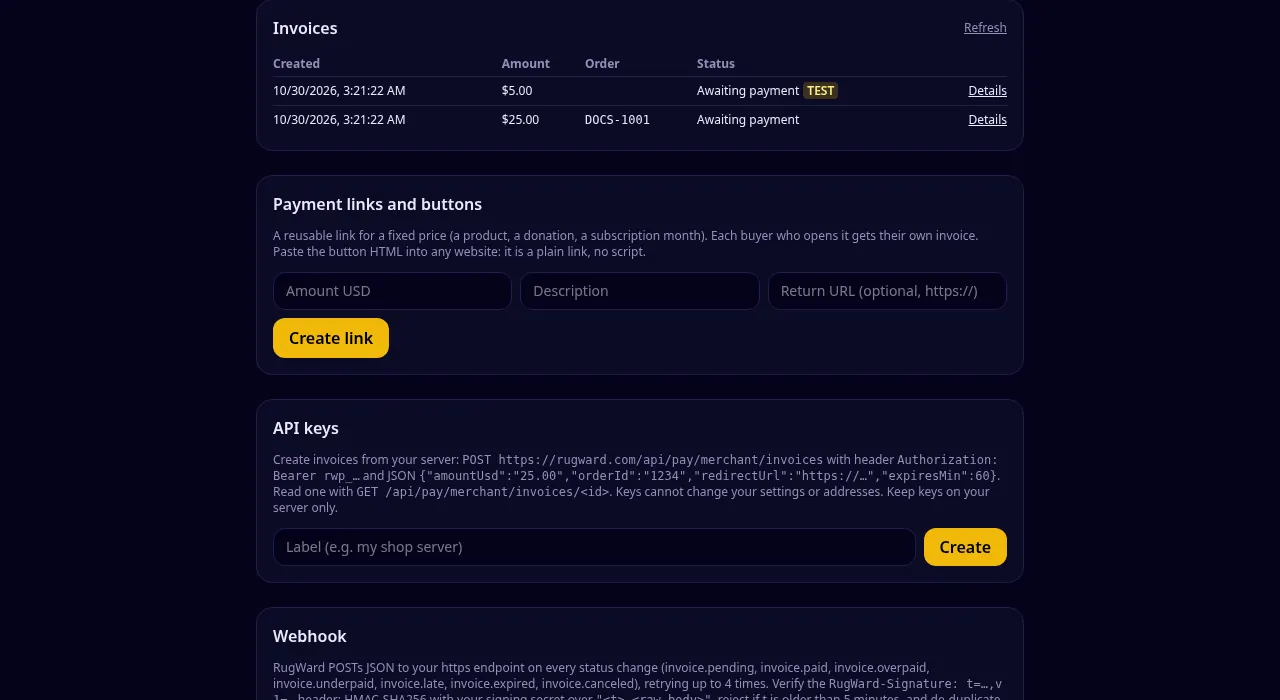
Status labels you will see:
| Label | API status |
|---|---|
| Awaiting payment | open |
| Payment detected, confirming | pending |
| Paid | paid |
| Paid (more than requested) | overpaid |
| Underpaid | underpaid |
| Paid after expiry | late |
| Expired | expired |
| Canceled | canceled |
What each one means and what to do: Statuses, confirmations and proofs.
Cancel an invoice#
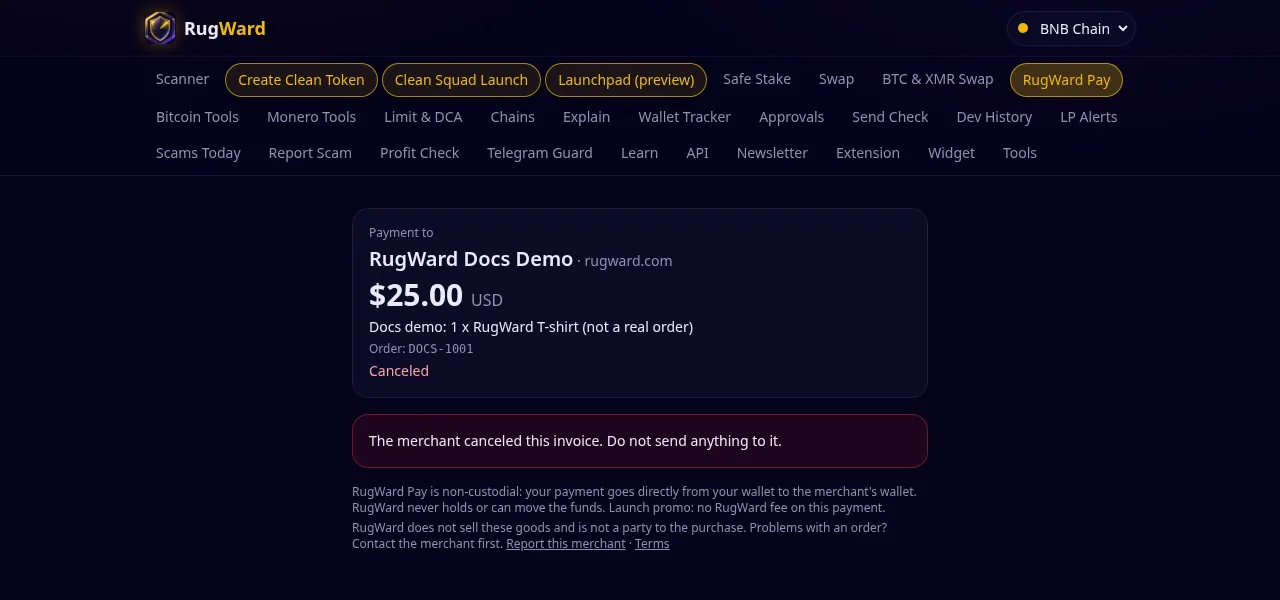
You can cancel your own invoice while it is open and no payment has been seen. The checkout then tells the buyer "The merchant canceled this invoice. Do not send anything to it." Webhook: invoice.canceled. An invoice with a payment on its way cannot be canceled (409).
Payment links and buttons#
A payment link is a reusable link for a fixed price: a product, a donation, a monthly membership. Each buyer who clicks Pay with crypto gets their own fresh invoice (valid 60 minutes), so payments never get mixed up.
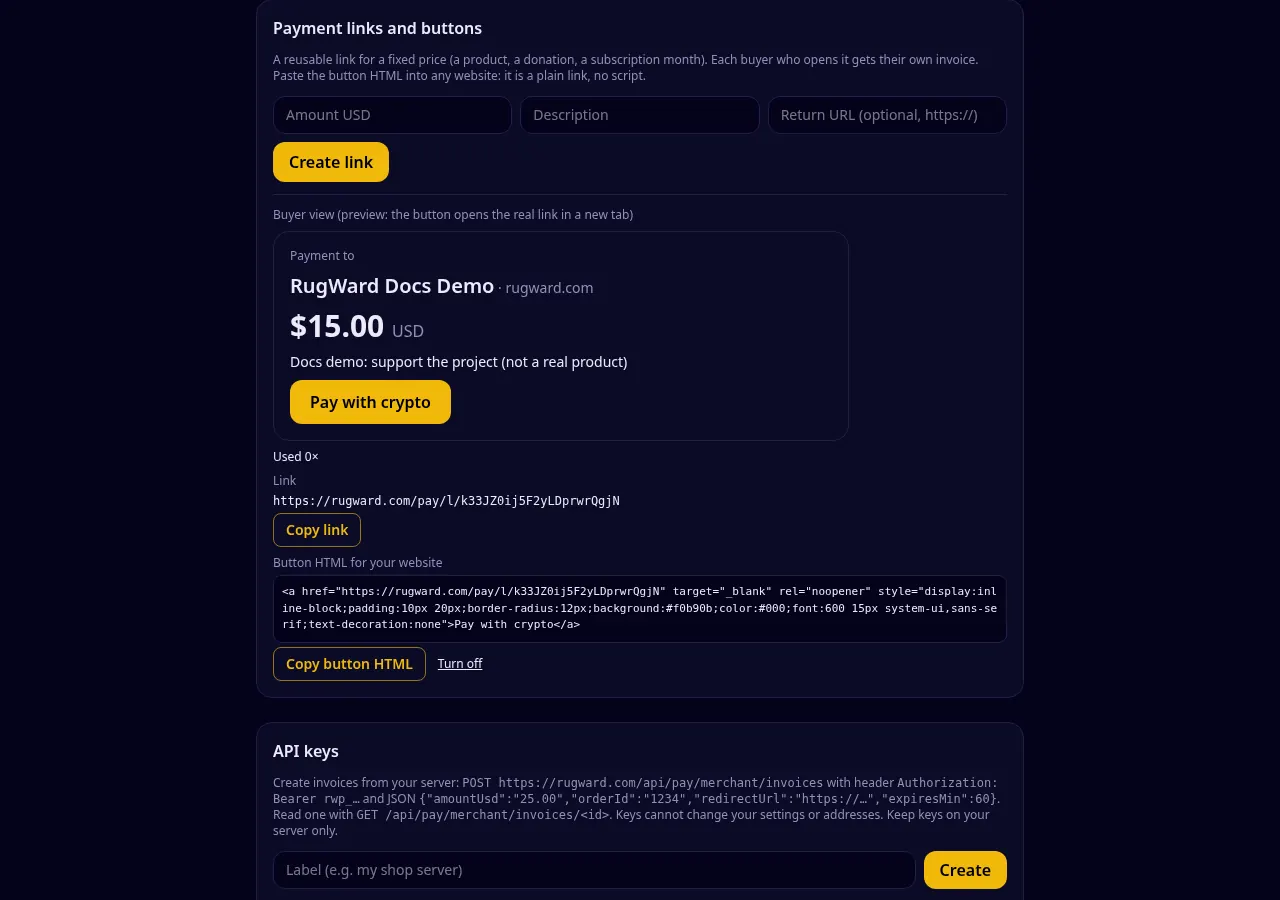
- Enter the amount in USD, a description and an optional return URL, then Create link.
- The dashboard shows the buyer view (exactly what buyers see), the link
https://rugward.com/pay/l/<id>, and how often it was used. - Copy link to share it in a chat, an email or on social media, or Copy button HTML to put a "Pay with crypto" button on your website.
- Turn off stops the link. Invoices already created from it are not affected.
The button is a plain HTML link. It loads no script and sets no cookie:
<a href="https://rugward.com/pay/l/k33JZ0ij5F2yLDprwrQgjN" target="_blank" rel="noopener"
   style="display:inline-block;padding:10px 20px;border-radius:12px;background:#f0b90b;color:#000;font:600 15px system-ui,sans-serif;text-decoration:none">Pay with crypto</a>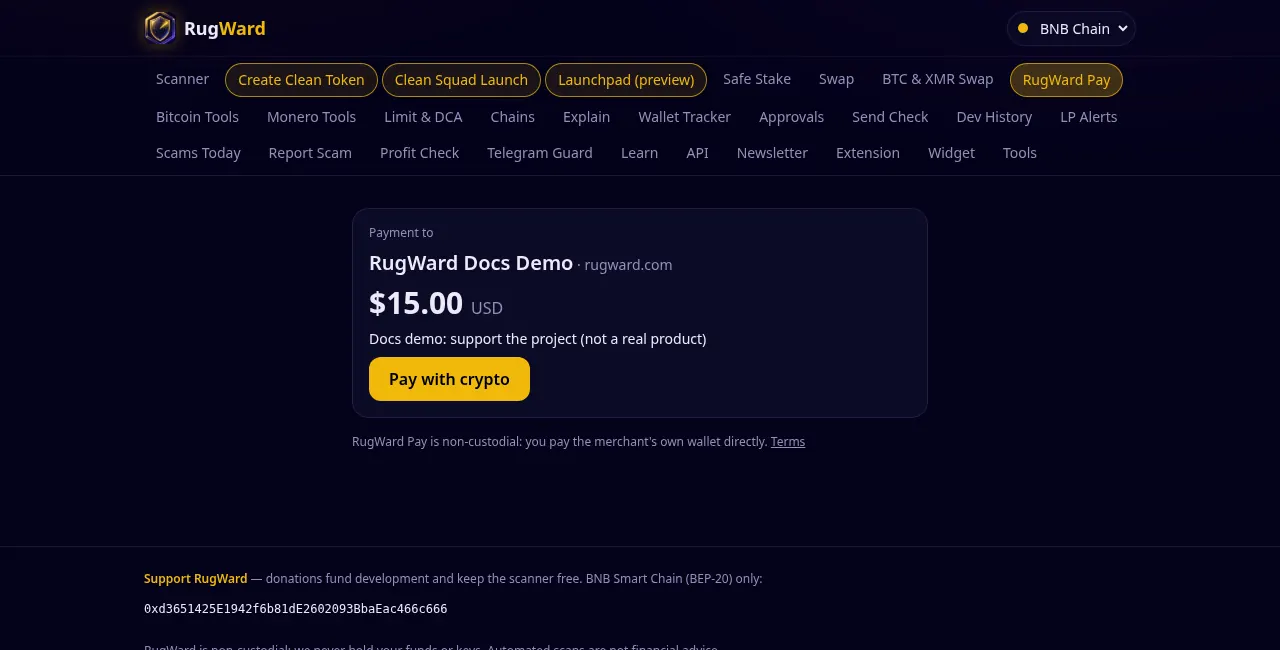
Good to know:
- Invoices created from a link carry the order id
link:<first 8 characters of the link id>, so you can tell them apart in the list, the API and webhooks. - Limits: 100 active links per merchant; one link creates at most 100 invoices per hour (protects your hourly invoice budget from abuse). Opening a link is protected by Cloudflare Turnstile when needed.
Test invoices (free, Sepolia testnet)#
Open Test invoice (Sepolia testnet) in the dashboard to try the complete checkout without real money. The buyer pays with Sepolia test ETH or Circle's Sepolia test USDC through the RugWard Pay splitter deployed on Sepolia, which sends 99.5% to the receiving address and 0.5% to the RugWard fee wallet, exactly like on Base.
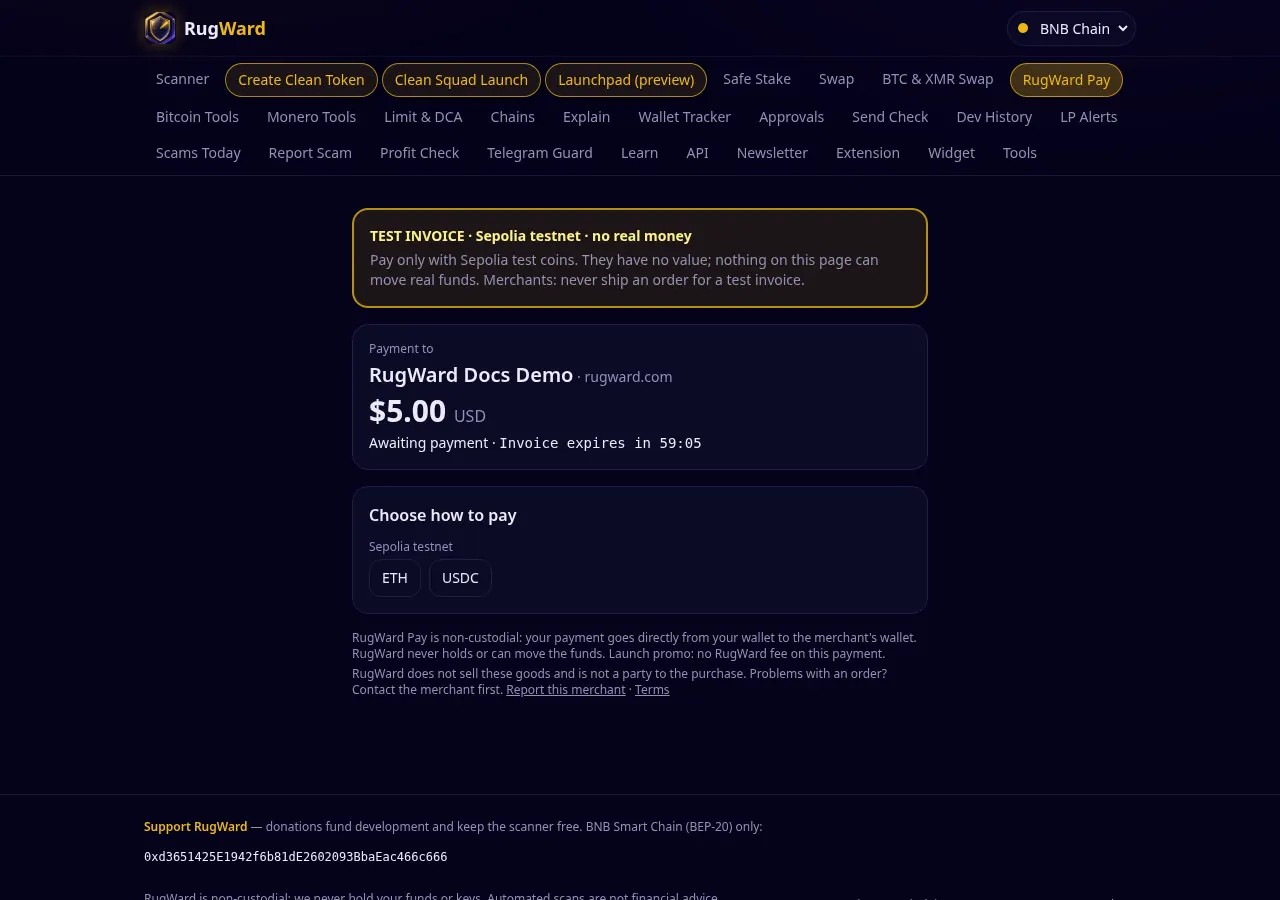
- Amount: $1 to $100. Optional test receiving address (an EVM address); otherwise your EVM address is used.
- Test coins have no value. They are free: Sepolia ETH from a faucet (for example Google Cloud's Sepolia faucet) and test USDC from Circle's faucet (pick Ethereum Sepolia).
- Test invoices are marked TEST on the checkout, in the list and on the proof; they never call your webhook and cannot be created with an API key, so a test can never ship a real order.
Unmatched payments#
Sometimes a transfer reaches your address but does not match an invoice exactly: a wrong amount, a payment sent long after expiry, or an unrelated transfer. RugWard never marks those as paid automatically. If any exist, the dashboard shows an Unmatched payments box with the amount, network, transaction link and the invoice that was being checked when it was seen.
What to do: open the transaction, contact the buyer, and settle it yourself (deliver, or send the money back from your wallet). Then click Dismiss.
Last updated: October 30, 2026