
RugWard Pay
Checkout: the buyer's view
What your buyer sees on the hosted checkout, step by step and coin by coin, including the Base wallet button, Bitcoin, Solana Pay and Monero.
On this page
The checkout page#
Every invoice has a hosted checkout at https://rugward.com/pay/i/<invoice id>. It works on phones and desktops, needs no account, and is not indexed by search engines. The top card shows your business name, website host, the USD amount, the description, the order id and the live status.
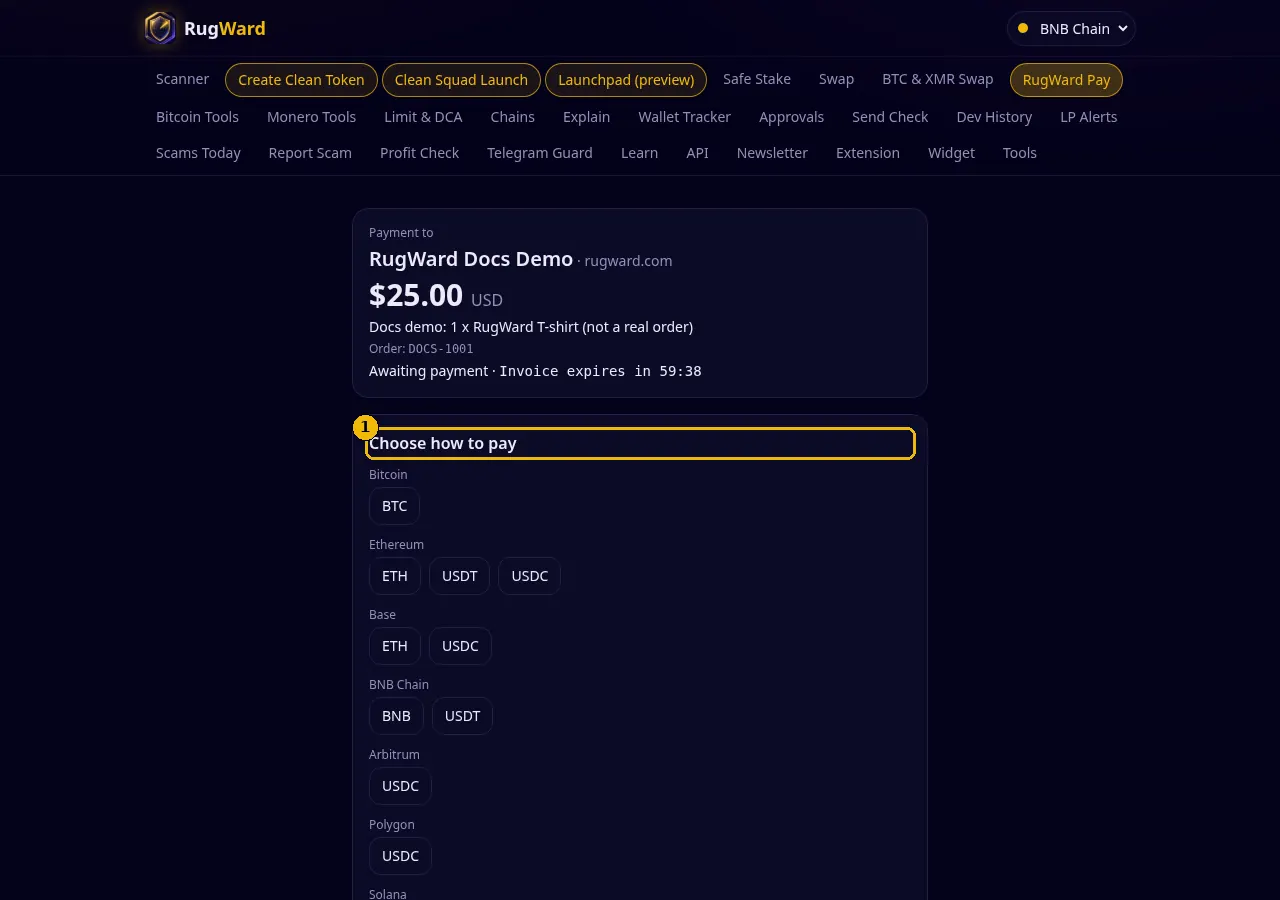
Step 1: choose a coin#
The buyer taps one of the coins you accept. RugWard then:
- reads the USD price from several independent public sources (Kraken, Coinbase, CoinGecko and KuCoin) and uses the median of the sources that agree within 2%; at least two must agree, so one wrong or stale feed cannot move an invoice;
- prices stablecoins at exactly $1 only while every agreeing source puts them within 2% of the peg (a de-peg blocks payment in that coin);
- locks the rate for 30 minutes (countdown "Rate locked 29:55") and rounds the amount up, so you never receive less than the invoice;
- on Bitcoin, EVM tokens and Solana, adds a tiny unique offset to the amount (a few satoshis or a fraction of a cent) so a transfer to your address matches exactly one invoice.
The buyer can switch coins with Pay with a different coin (up to 8 quotes per invoice) until a payment is seen. After that the coin is fixed.
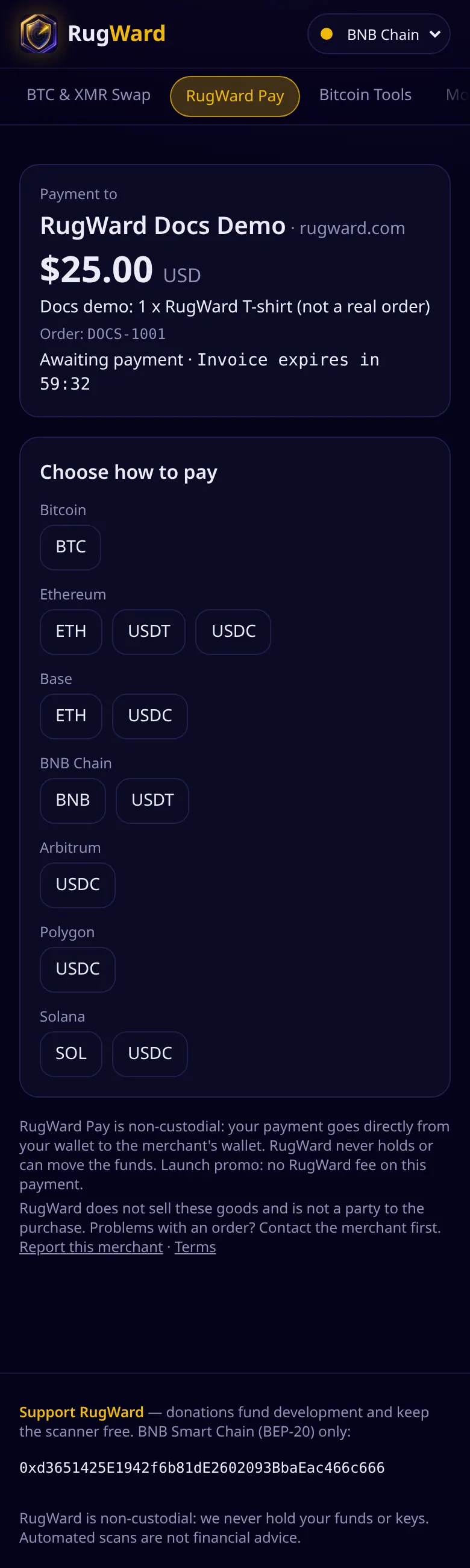
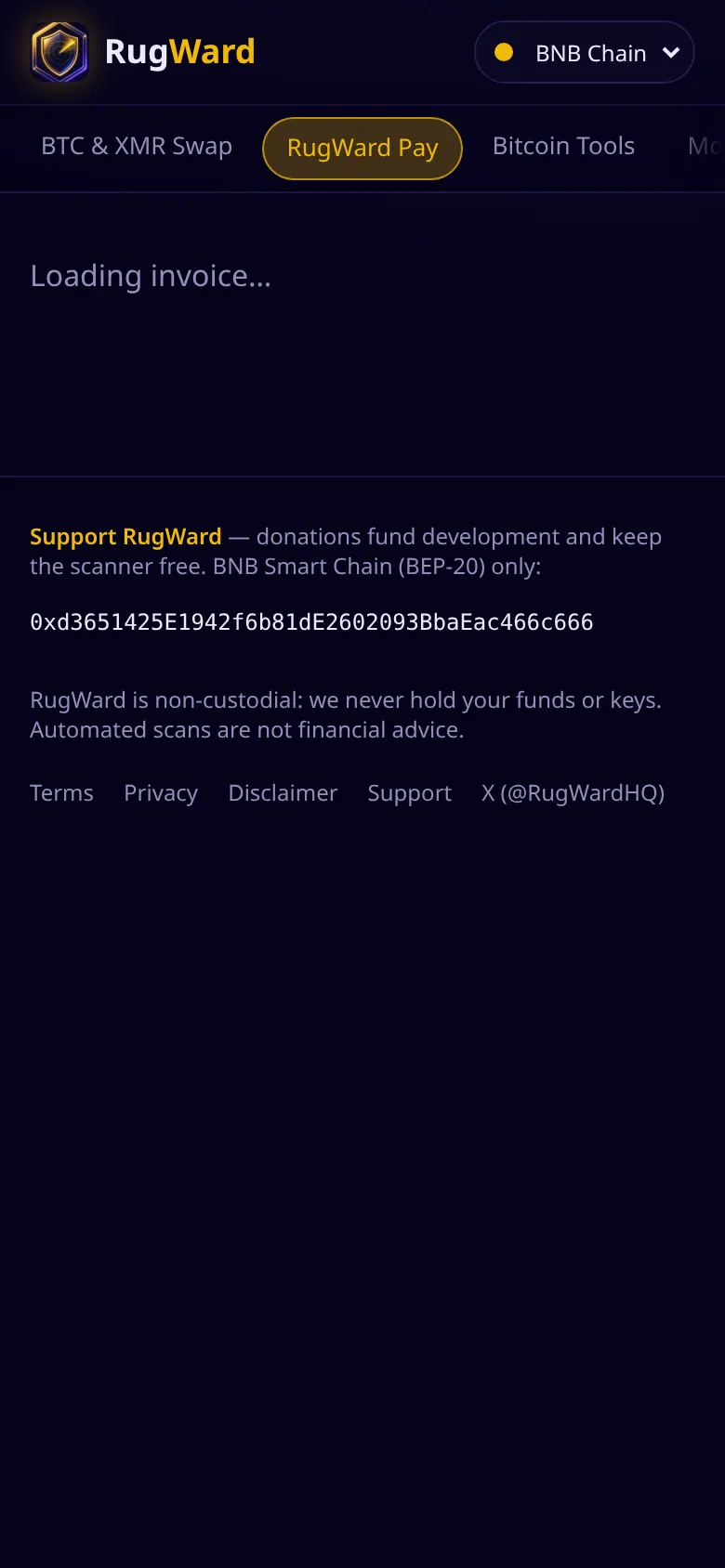
On a phone the same page stacks vertically:
Step 2: pay#
The checkout always shows Send exactly with the amount, your receiving address with a copy button, and a reminder to check the first and last 6 characters of the address in the wallet after pasting. What else it shows depends on the coin.
Bitcoin#
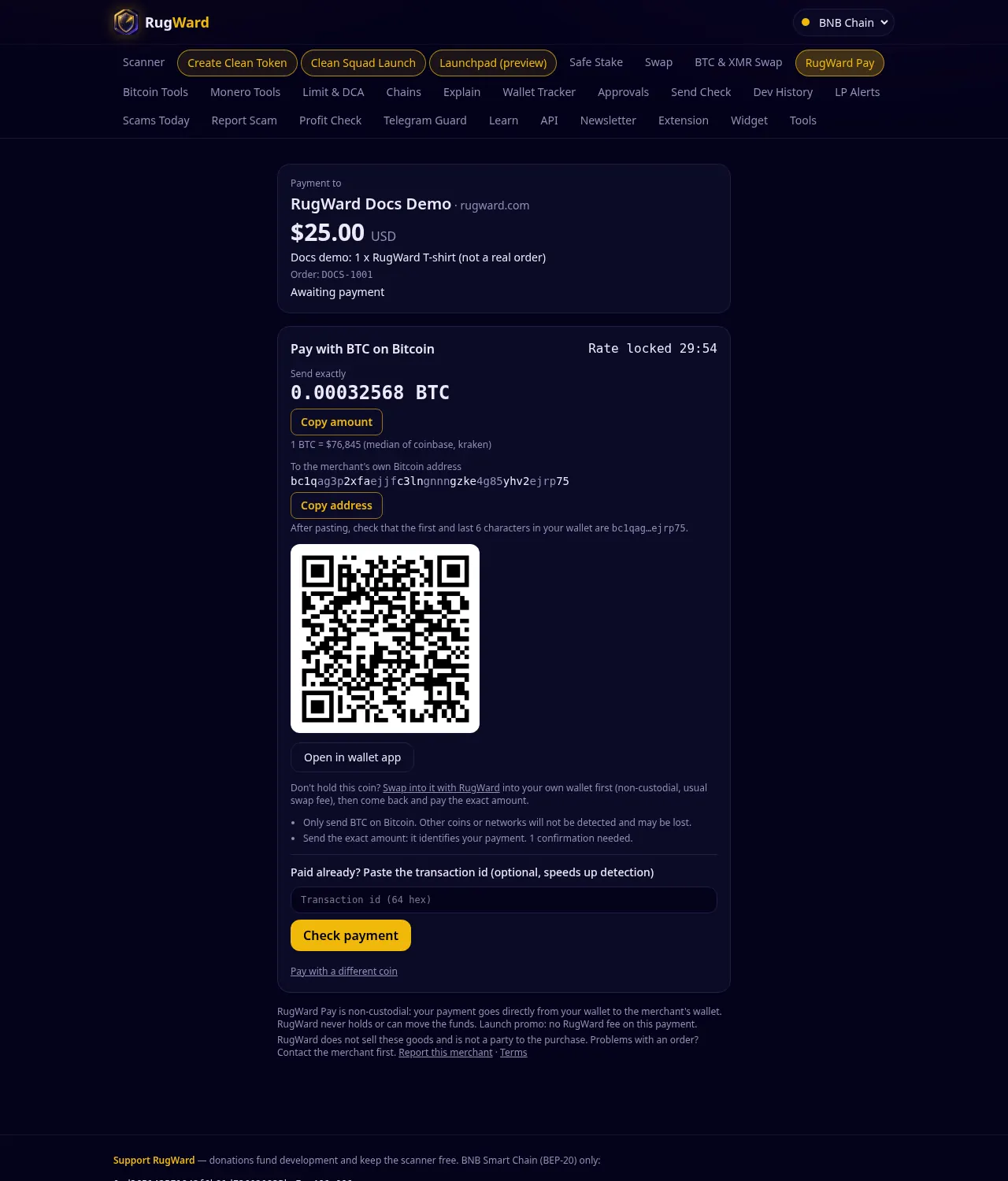
- QR code and Open in wallet app use a standard
bitcoin:(BIP21) link with the amount. - Send the exact amount: it identifies the payment. RugWard finds it automatically by scanning your address; pasting the transaction id is optional and only speeds things up.
- 1 confirmation is needed.
ETH or USDC on Base (0.5% splitter)#
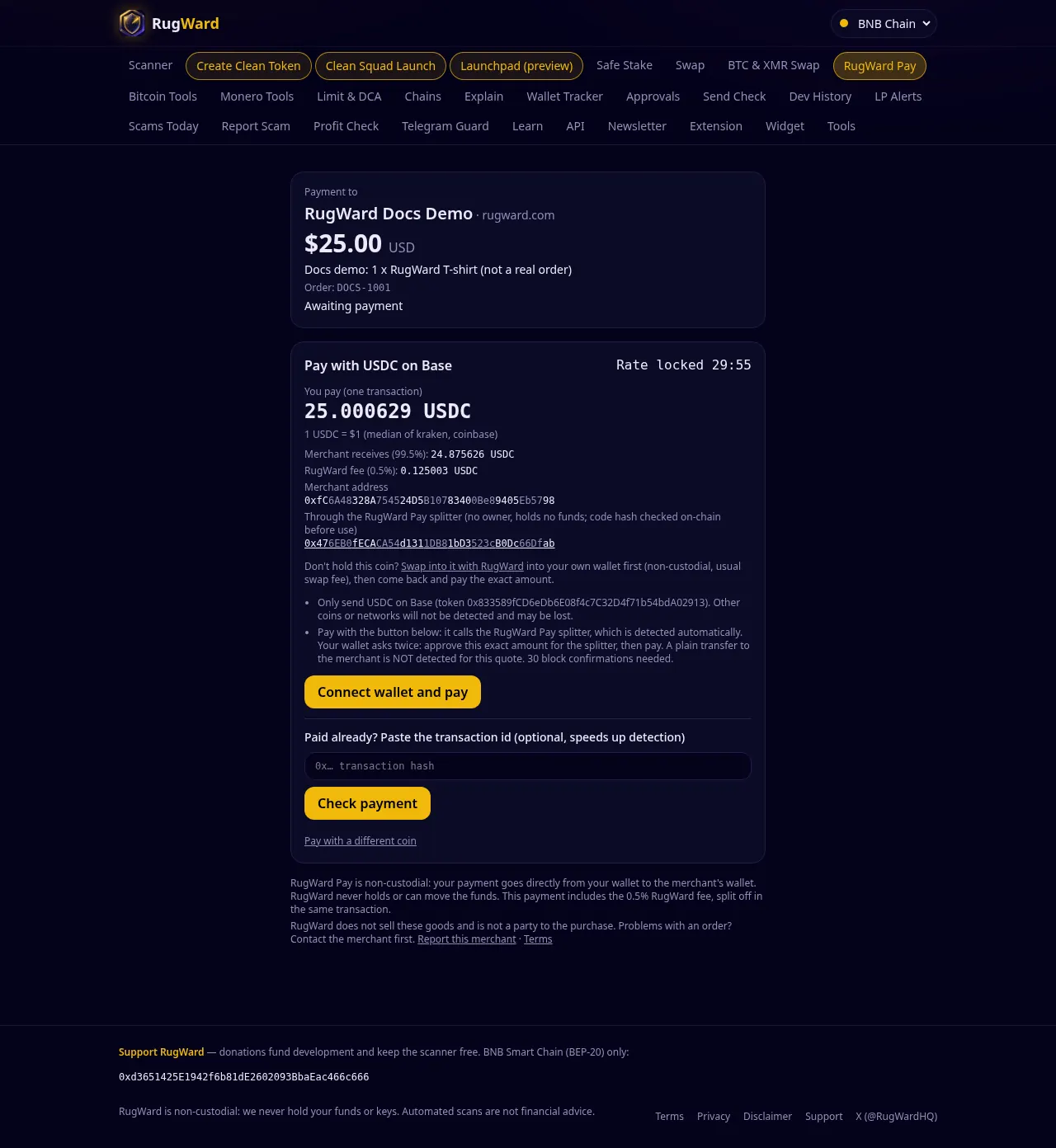
- The buyer sees You pay (one transaction), Merchant receives (99.5%), RugWard fee (0.5%), your address and the splitter contract address.
- The buyer clicks Connect wallet and pay. Before anything is signed, the browser re-checks the splitter's code hash on-chain; if it does not match the reviewed build, nothing is sent.
- ETH: one transaction (
payNative). USDC: the wallet asks twice: "Step 1 of 2: approve exactly this amount for the splitter", then "Step 2 of 2: confirm the payment" (payToken). The approval is for the exact amount, never unlimited. - There is no QR code for these quotes: a plain transfer straight to your address is not detected for a Base splitter quote. 30 block confirmations are needed.
ETH on Ethereum or Arbitrum, and BNB#
- QR code and Open in wallet app use an EIP-681
ethereum:link with the chain id and amount. - The transaction hash is needed to match a native-coin payment. With Connect wallet and pay it is sent automatically; if the buyer pays from another wallet, they paste the hash under "Paid already?".
- Send from a normal wallet, not from an exchange or a contract.
USDC and USDT on Ethereum, Arbitrum, BNB Chain and Polygon#
- Pay with the button or scan the EIP-681 QR code (
ethereum:<token>@<chain>/transfer?...). - Send the exact amount: RugWard detects it automatically from the token's Transfer events. Pasting the hash is optional.
- Only send the named token on the named network (the token contract is shown). Other coins or networks are not detected and may be lost.
Solana: SOL, USDC, USDT#
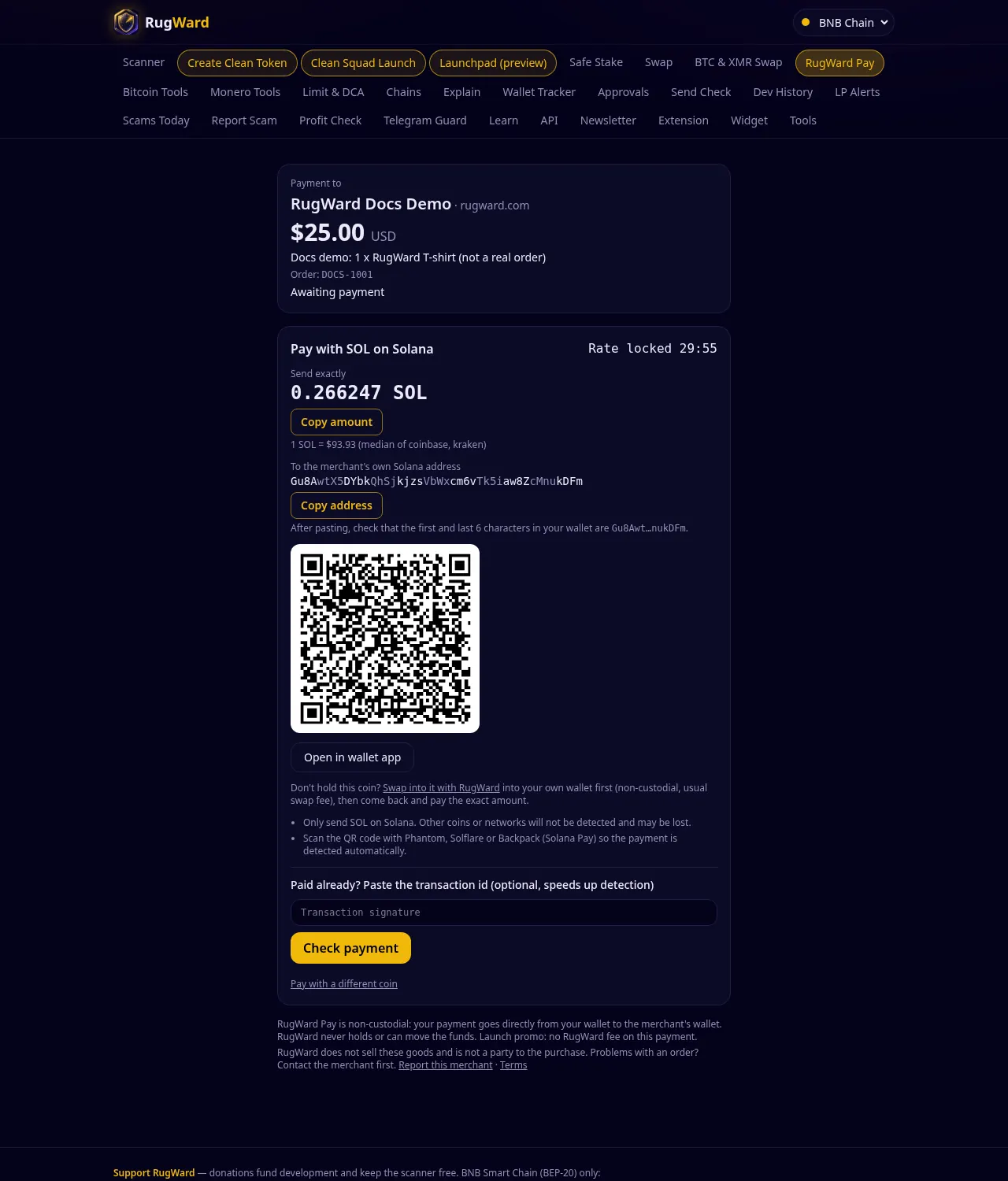
- Scan the QR code with a Solana Pay wallet (Phantom, Solflare or Backpack). The link carries a unique reference key, so the payment is detected automatically. Finalized commitment is required.
- If the buyer pays by copying the address instead of scanning, the reference is missing: they then paste the transaction signature under "Paid already?" so RugWard can find and check the payment.
Monero#
- QR code and Open in wallet app use a
monero:link withtx_amount. - After sending, the buyer clicks Sent it? Verify your payment and pastes the transaction id and, unless you saved a view key, the transaction key (Monero GUI/CLI, Feather, Cake Wallet: transaction details). The key proves this payment only; it cannot spend anything and is not stored.
- 10 confirmations are needed. Users are responsible for complying with their local laws.
The wallet links behind the QR codes look like this:
bitcoin:bc1q…?amount=0.00025017
monero:4…?tx_amount=0.0731
ethereum:0xMerchant…@1?value=8102000000000000                         (ETH on Ethereum)
ethereum:0xA0b86991c6218b36c1d19D4a2e9Eb0cE3606eB48@1/transfer?address=0xMerchant…&uint256=25000629   (USDC on Ethereum)
solana:Merchant…?amount=0.141&reference=Ref…&label=RugWard%20Pay%3A%20Shop
Step 3: confirmation and receipt#
Payments seen on-chain lists each transaction with its confirmations and an explorer link. The status changes from Awaiting payment to Payment detected, confirming and then to Paid. The page refreshes itself every few seconds while it is open, and a background job re-checks open invoices every 5 minutes even when nobody has the page open.
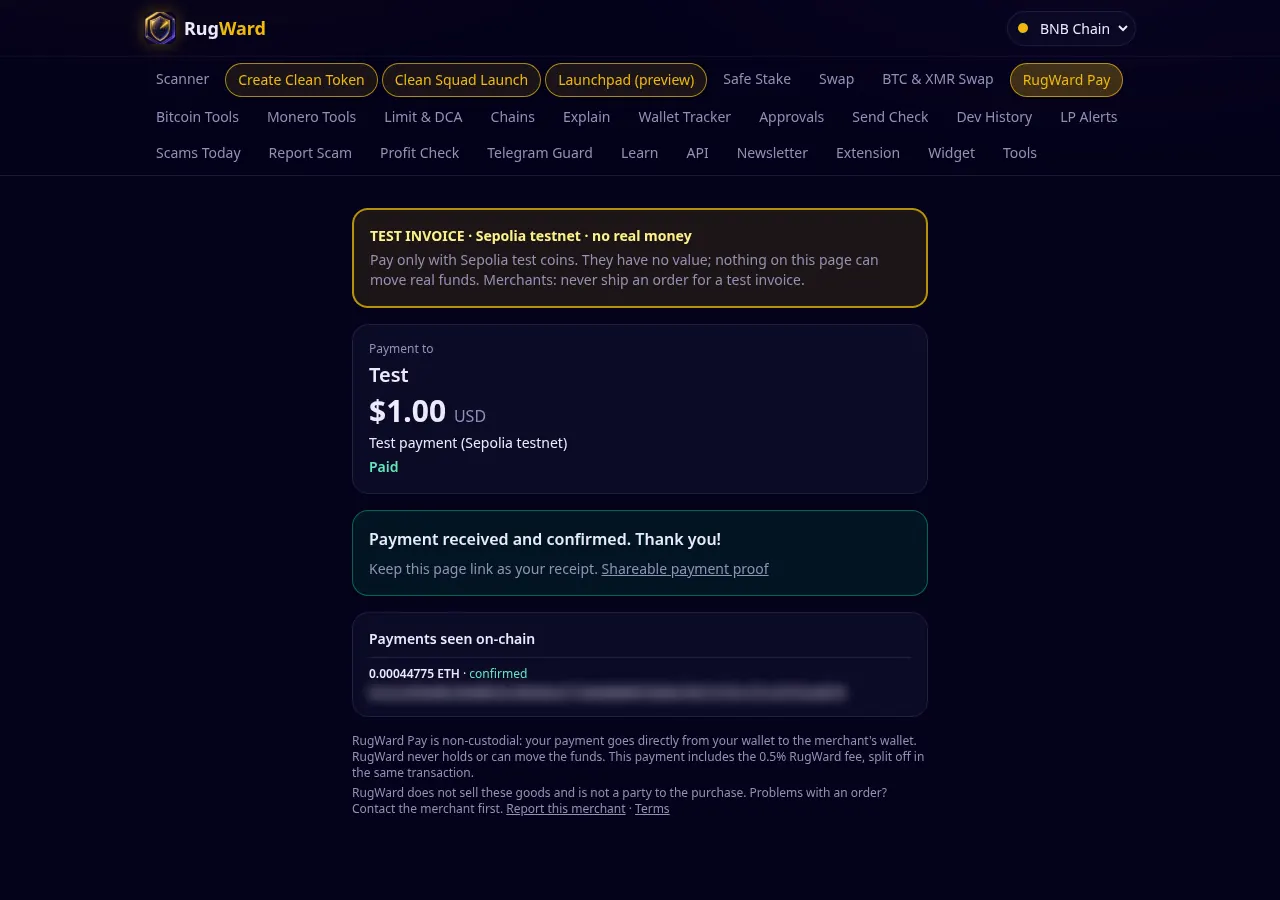
When the invoice is paid the buyer sees "Payment received and confirmed. Thank you!", a link to the shareable payment proof, and, if you set a return URL, a Return to <your site> button. The checkout link itself works as a receipt.
Don't hold the right coin?#
Under the amount the checkout offers Swap into it with RugWard: the buyer swaps into the needed coin in their own wallet first (non-custodial, usual swap fee) and then comes back to pay the exact amount. RugWard does not swap directly into your address, because a swap's final output varies and could not match the invoice exactly.
Safety notes for buyers#
- RugWard never asks for a seed phrase, a private key or a "wallet validation".
- Check the merchant name and website on the checkout before paying. RugWard does not sell the goods and is not a party to the purchase; contact the merchant first if there is a problem, or use Report this merchant.
- Never send to an invoice that says Expired or Canceled.
Last updated: October 30, 2026