
RugWard Pay
REST API reference
Every RugWard Pay merchant endpoint with request and response examples, API key authentication, errors, limits and code in curl, Node.js, Python and PHP.
On this page
Basics#
| Base URL | https://rugward.com |
| Format | JSON in, JSON out. Send Content-Type: application/json with every body (otherwise 415). Bodies are limited to a few KB. |
| Auth | an API key in Authorization: Bearer rwp_… or x-api-key: rwp_… |
| Amounts | USD as a string with up to 2 decimals ("25", "25.50"); coin amounts are decimal strings |
| Times | Unix milliseconds (createdAt, expiresAt, paidAt) |
| Errors | {"error": "human readable message"}, sometimes with "retry": true |
Server to server only. Keep the API key on your server. Browsers cannot call the merchant API with a key (cross-origin requests are not allowed), and a key in a web page would be public.
API keys#
Create keys in the dashboard under API keys (sign-in required). A key looks like rwp_ followed by 40 letters and digits and is shown once: copy it to your server's secret store right away. RugWard keeps only a SHA-256 hash, so a lost key cannot be shown again: create a new one and revoke the old one. Up to 10 keys per merchant; the dashboard shows each key's prefix and when it was last used.
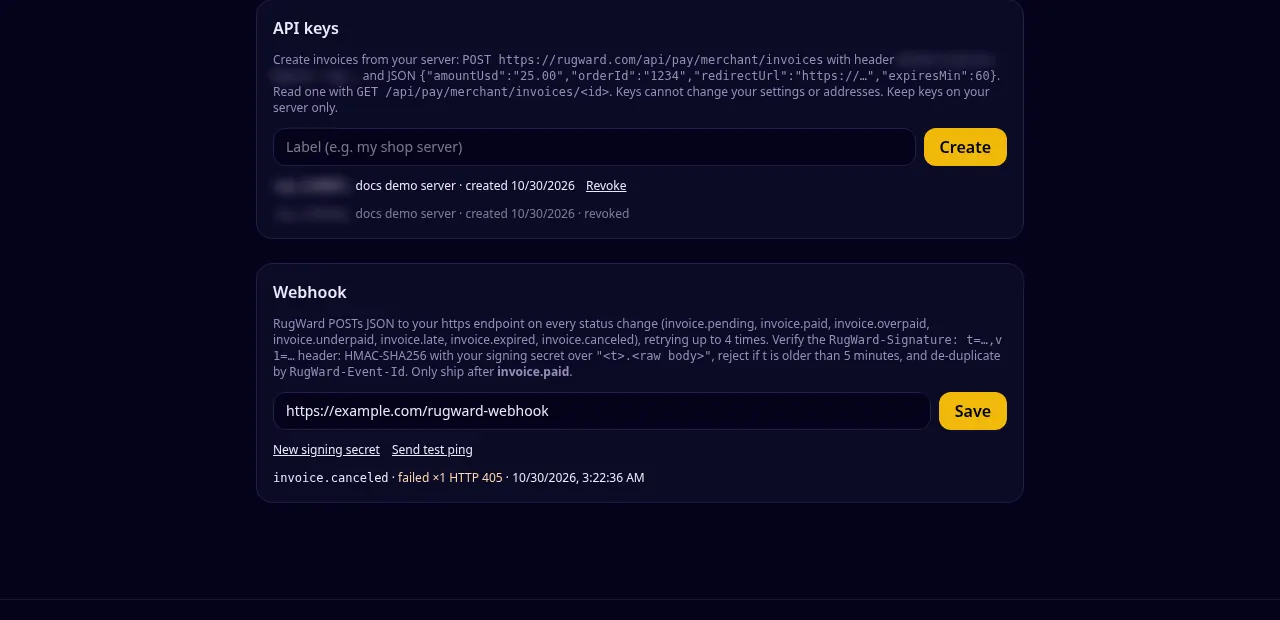
What a key can and cannot do:
| A key can | A key cannot |
|---|---|
| create, list, read and cancel invoices | change settings or receiving addresses |
| create, list and turn off payment links | create, list or revoke API keys |
| change or read the webhook or its secret | |
| create test invoices |
So a leaked key cannot redirect your money: receiving addresses can only be changed by signing in with your wallet.
Endpoints#
| Method and path | Auth | Purpose |
|---|---|---|
POST /api/pay/merchant/invoices | key or session | Create an invoice |
GET /api/pay/merchant/invoices | key or session | List invoices, newest first, 50 per page |
GET /api/pay/merchant/invoices/:id | key or session | Read one invoice with quotes and payments (also re-checks the chain) |
POST /api/pay/merchant/invoices/:id/cancel | key or session | Cancel an open invoice without payments |
GET /api/pay/merchant/links | key or session | List payment links |
POST /api/pay/merchant/links | key or session | Create a payment link, or turn one off |
GET /api/pay/proof/:id | public | Payment proof (paid or overpaid invoices only) |
Settings, API keys, the webhook and unmatched payments are managed in the dashboard (wallet session only).
Create an invoice#
POST /api/pay/merchant/invoices
| Field | Type | Required | Rules |
|---|---|---|---|
amountUsd | string or number | yes | 1 to 50000, max 2 decimals |
orderId | string | no | 1–64 chars: letters, digits, . _ - : # / |
description | string | no | max 200 chars, shown to the buyer |
redirectUrl | string | no | https:// URL (max 500 chars), shown after payment |
expiresMin | integer | no | 15 to 10080 (7 days); default 60 |
curl -X POST https://rugward.com/api/pay/merchant/invoices \
  -H "Authorization: Bearer $RUGWARD_PAY_KEY" \
  -H "Content-Type: application/json" \
  -d '{
    "amountUsd": "25.00",
    "orderId": "1234",
    "description": "1 x T-shirt, size M",
    "redirectUrl": "https://shop.example/thanks?order=1234",
    "expiresMin": 60
}'{
"id": "Zx3kQ8pL2mN7vR1tY5wB9c",
"url": "https://rugward.com/pay/i/Zx3kQ8pL2mN7vR1tY5wB9c",
"status": "open",
"expiresAt": 1793326882069,
"assets": ["BTC", "ETH-8453", "USDC-8453", "USDT-56", "SOL", "USDC-SOL"]
}Send the buyer to url. assets lists the asset ids the buyer can choose from (your enabled coins that have a receiving address).
The same request in other languages:
// Never put the API key in a browser page: call RugWard Pay from your server.
const res = await fetch("https://rugward.com/api/pay/merchant/invoices", {
  method: "POST",
  headers: {
    Authorization: `Bearer ${process.env.RUGWARD_PAY_KEY}`,
    "Content-Type": "application/json",
  },
  body: JSON.stringify({ amountUsd: "25.00", orderId: "1234", expiresMin: 60 }),
});
const body = await res.json();
if (!res.ok) throw new Error(body.error);
// Save body.id with your order, then send the buyer to body.url
console.log(body.id, body.url);import os, requests
r = requests.post(
"https://rugward.com/api/pay/merchant/invoices",
headers={"Authorization": f"Bearer {os.environ['RUGWARD_PAY_KEY']}"},
json={"amountUsd": "25.00", "orderId": "1234", "expiresMin": 60},
timeout=15,
)
data = r.json()
if r.status_code != 201:
raise RuntimeError(data.get("error"))
print(data["id"], data["url"]) # store the id, redirect the buyer to the url<?php
$ch = curl_init("https://rugward.com/api/pay/merchant/invoices");
curl_setopt_array($ch, [
CURLOPT_POST => true,
CURLOPT_RETURNTRANSFER => true,
CURLOPT_HTTPHEADER => [
"Authorization: Bearer " . getenv("RUGWARD_PAY_KEY"),
"Content-Type: application/json",
],
CURLOPT_POSTFIELDS => json_encode(["amountUsd" => "25.00", "orderId" => "1234", "expiresMin" => 60]),
]);
$data = json_decode(curl_exec($ch), true);
$code = curl_getinfo($ch, CURLINFO_HTTP_CODE);
curl_close($ch);
if ($code !== 201) { throw new Exception($data["error"] ?? "RugWard Pay error"); }
header("Location: " . $data["url"]); // send the buyer to the hosted checkoutRead an invoice#
GET /api/pay/merchant/invoices/:id. Reading an invoice also checks the blockchains for new payments, so this is the right call to confirm a payment before shipping (together with webhooks).
curl https://rugward.com/api/pay/merchant/invoices/Zx3kQ8pL2mN7vR1tY5wB9c \
-H "Authorization: Bearer $RUGWARD_PAY_KEY"{
"invoice": {
"id": "Zx3kQ8pL2mN7vR1tY5wB9c",
"status": "paid",
"amountUsd": "25.00",
"orderId": "1234",
"description": "1 x T-shirt, size M",
"redirectUrl": "https://shop.example/thanks?order=1234",
"createdAt": 1793323282069,
"expiresAt": 1793326882069,
"paidAt": 1793324100512,
"assets": ["BTC", "ETH-8453", "USDC-8453", "USDT-56", "SOL", "USDC-SOL"],
"test": false,
"quotes": [
{
"id": 4711,
"asset": "USDC-8453",
"amount": "25.000629",
"rateUsd": "1",
"address": "0xYourMerchantAddress…",
"expiresAt": 1793325082069
}
],
"payments": [
{
"txid": "0x…",
"asset": "USDC-8453",
"amount": "24.875626",
"confirmations": 30,
"required": 30,
"confirmed": true,
"seenAt": 1793324012000,
"explorer": "https://basescan.org/tx/0x…"
}
]
}
}quotes: one entry per coin the buyer picked (amount, rate, receiving address, rate-lock expiry).payments: every transaction seen for this invoice, withconfirmations, therequirednumber andconfirmed.- On Base splitter payments
amountis what reached you (99.5%).
List invoices#
GET /api/pay/merchant/invoices?before=<createdAt>: 50 per page, newest first. To get the next page pass the createdAt of the last invoice you received.
curl "https://rugward.com/api/pay/merchant/invoices" \
  -H "Authorization: Bearer $RUGWARD_PAY_KEY"

# next page: pass the createdAt of the last invoice you received
curl "https://rugward.com/api/pay/merchant/invoices?before=1793323282069" \
-H "Authorization: Bearer $RUGWARD_PAY_KEY"{
"invoices": [
{
"id": "Zx3kQ8pL2mN7vR1tY5wB9c",
"status": "open",
"amountUsd": "25.00",
"orderId": "1234",
"description": "1 x T-shirt, size M",
"createdAt": 1793323282069,
"expiresAt": 1793326882069,
"paidAt": null
}
]
}Cancel an invoice#
POST /api/pay/merchant/invoices/:id/cancel (no body). Works only while the invoice is open and no payment was seen; otherwise 409.
curl -X POST https://rugward.com/api/pay/merchant/invoices/Zx3kQ8pL2mN7vR1tY5wB9c/cancel \
  -H "Authorization: Bearer $RUGWARD_PAY_KEY"

# 200 {"ok":true}
# 409 {"error":"Only your open invoices without payments can be canceled."}
Payment links#
POST /api/pay/merchant/links with {amountUsd, description?, redirectUrl?} creates a reusable link; {"deactivate": "<link id>"} turns one off. GET lists up to 100 links with uses, active and createdAt. The merchant terms must be accepted first. See Payment links.
curl -X POST https://rugward.com/api/pay/merchant/links \
  -H "Authorization: Bearer $RUGWARD_PAY_KEY" \
  -H "Content-Type: application/json" \
  -d '{"amountUsd": "15", "description": "Monthly membership", "redirectUrl": "https://shop.example/welcome"}'

# 201 {"id":"k33JZ0ij5F2yLDprwrQgjN","url":"https://rugward.com/pay/l/k33JZ0ij5F2yLDprwrQgjN"}

# list your links
curl https://rugward.com/api/pay/merchant/links -H "Authorization: Bearer $RUGWARD_PAY_KEY"

# turn one off
curl -X POST https://rugward.com/api/pay/merchant/links \
  -H "Authorization: Bearer $RUGWARD_PAY_KEY" -H "Content-Type: application/json" \
-d '{"deactivate": "k33JZ0ij5F2yLDprwrQgjN"}'Errors#
{ "error": "Amount in USD, e.g. 25 or 25.50." }

// some temporary errors also carry "retry": true| HTTP | Meaning | What to do |
|---|---|---|
| 400 | invalid input (the message says which field) | fix the request |
| 401 | missing or invalid API key | check the key; it may have been revoked |
| 403 | cross-site request refused, merchant terms not accepted, account suspended, or action not allowed for keys | read the message |
| 404 | not found or not yours | check the id |
| 409 | conflict (for example canceling a paid invoice, or 100 active links already) | read the message |
| 415 | body is not JSON | send Content-Type: application/json |
| 429 | rate limit, or 500 invoices in the last hour | wait and retry with backoff |
| 451 | not available in your region | — |
503 with "retry": true | a blockchain or price source is temporarily unreachable | retry after a few seconds |
Limits#
- Request rate: about 20 requests per minute per IP address across all
/api/pay/*endpoints, plus a cap of 30 per minute per endpoint group. Use webhooks instead of polling; if you poll, once a minute per open invoice is plenty. - Invoices: 500 per merchant per hour.
- Payment links: 100 active per merchant; each link creates at most 100 invoices per hour.
Integration checklist#
- Create the invoice from your server when the customer checks out; save
idwith your order. - Redirect the customer to
url. - On
invoice.paidorinvoice.overpaid(webhook), verify the signature, then re-read the invoice withGET /api/pay/merchant/invoices/:idand checkstatusandamountUsdbefore shipping. - Handle
underpaid,lateandexpired(see Statuses). - Make your handler idempotent: the same event can arrive more than once.
Last updated: October 30, 2026